
a single glowing terminal command sends a stream of light that blooms into a fully orchestrated virtualization stack — server racks, VM/container tiles, a dashboard, and network nodes all snapping into a tidy connected grid.
By S’Bussiso Dube/SourceBox Team
Updated June 10, 2026
There is a specific kind of magic that happens when you realize your computer can do more than just run a few apps, it can run an entire ecosystem.
For a long time, the idea of "self-hosting" had a reputation for being a bit... intense. You’ve probably seen the forums: people talking about "dependency hell," spending six hours configuring a single database, or waking up at 3 AM to fix a broken network bridge. For a lot of us, that felt like a chore, not a hobby. We stayed with the big cloud providers not because we loved them, but because we didn't want to spend our weekends fighting with a terminal.
But the game has changed.
If you are using Proxmox VE, you no longer have to be a certified systems administrator to build a professional-grade home server. You just need a few "cheat codes."
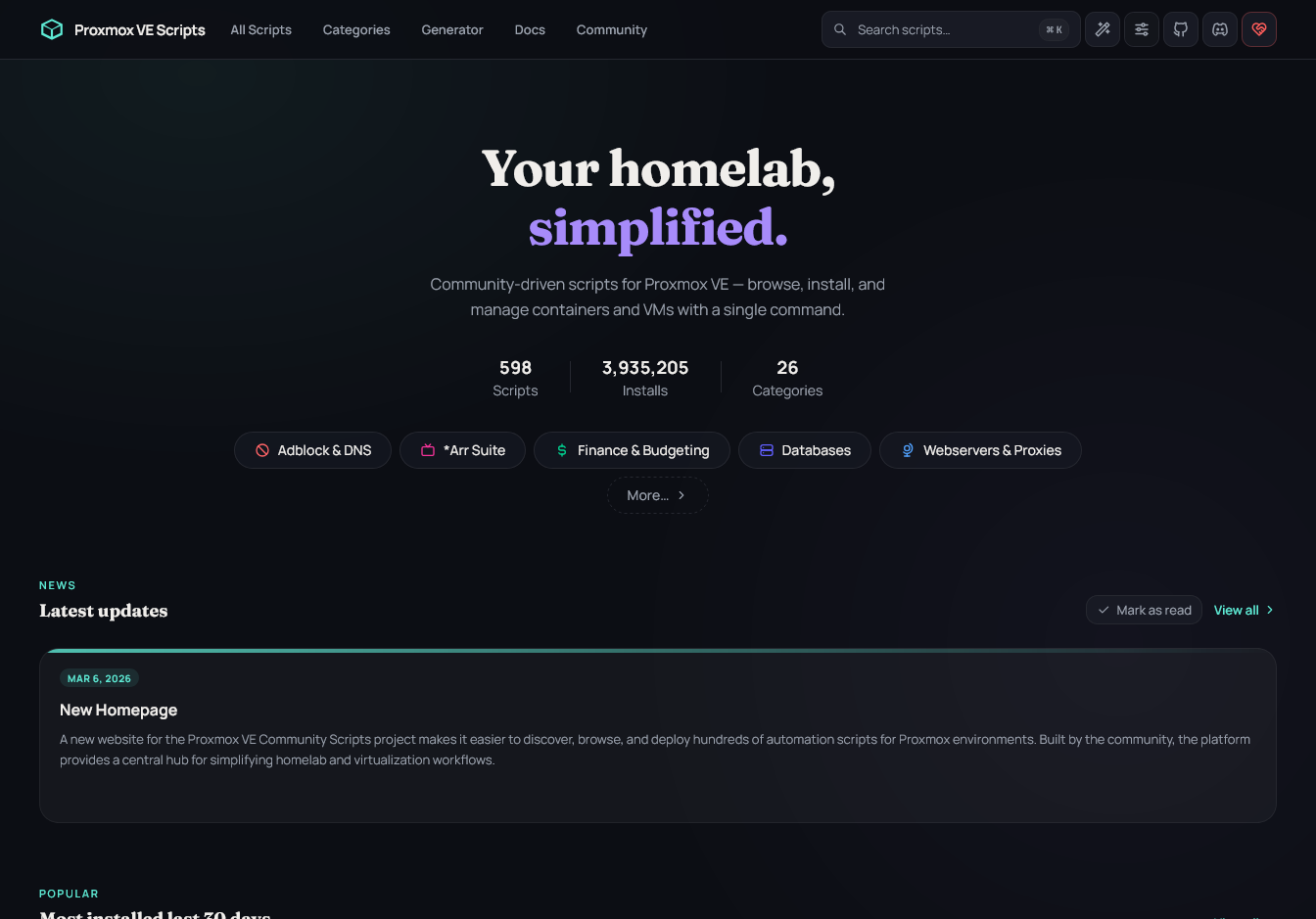
Proxmox VE Helper Scripts Make it Easy.
Helper Scripts can get your lab set up fast and easy but always make sure to look at the scripts you’re running.
Enter the Proxmox Helper Scripts.
Think of these scripts as "recipes" for your server. Instead of spending an hour following a tutorial, downloading an OS, and installing a bunch of libraries, a helper script does it all for you in about sixty seconds.
You simply paste a command into your Proxmox shell, and the script handles the "boring stuff":
It builds the container with the perfect settings.
It installs the software and all its requirements.
It gives you the link to open your new app in a browser.
It’s the closest thing to an "App Store" for your own private server.
Building Your Dream Stack in Minutes
The best part about these scripts is how quickly you can turn a blank server into a powerhouse of utility. You can basically "lego-block" your way to a custom digital lifestyle.
Imagine spending one Saturday morning and doing this:
Minute 1: Deploy Vaultwarden. Now you have a beautiful, private password manager that you own completely.
Minute 2: Deploy Nextcloud. Suddenly, you have your own private version of Google Drive for your photos and docs.
Minute 3: Deploy Pi-hole. Your entire house is now an ad-free zone because you're blocking the trackers at the network level.
Minute 4: Deploy Ollama. You now have a local AI assistant running on your own hardware, ready to help you with whatever you need.
When you use these scripts, the "technical friction" disappears. You stop worrying about how to install the software and start focusing on how to use it to make your life better.
Not sure which scripts to run first? Think of your server as a collection of "Starter Packs." Depending on what you want your digital life to look like, you can mix and match these combinations to build a system that fits your specific needs.
The "Privacy First" Pack
For the user who wants to disappear from the corporate grid and secure their family's digital footprint.
Vaultwarden: Your own encrypted vault for every password you own.
Pi-hole / AdGuard Home: Block ads and trackers for every device in the house.
WireGuard: A secure, encrypted tunnel to access your home network from anywhere in the world.
Nextcloud: A private replacement for Google Drive and iCloud.
The "Privacy-First" Pack
The "AI Power-User" Pack
For the tinkerer who wants to harness the power of LLMs without the cloud-based surveillance.
Ollama: The engine that runs your local models (Qwen, DeepSeek, etc.).
Open WebUI: A polished, ChatGPT-like interface for your local models.
ChangeDetection.io: An automated tool that monitors websites for changes and alerts you via your AI agent.
SearXNG: A privacy-respecting search engine that aggregates results without tracking you.
The "AI Power-User" Pack
The "Connected Home" Pack
For the enthusiast who wants a home that works for them, not for the data brokers.
Home Assistant: The central brain that coordinates all your smart devices locally.
Mosquitto (MQTT): The invisible language your IoT devices use to talk to each other.
Zigbee2MQTT: Use professional-grade Zigbee sensors without needing a proprietary vendor hub.
Tautulli: A powerful monitoring tool for your home media server.
The "Connected Home" Pack
The "Creator's Studio" Pack
For the designer, writer, or maker who needs a high-performance digital workspace.
Gitea / Forgejo: Your own private GitHub for code, notes, and project tracking.
Jellyfin: A completely free, open-source media server for your movies and music.
Ghost / WordPress: Host your own blog or portfolio without worrying about platform censorship.
FreshRSS: A self-hosted feed reader to curate your information without an algorithm.
The best part? You can mix and match. You can start with the "Privacy Pack" today, and add the "AI Power-User" tools next weekend. Because it's all running in Proxmox, your server grows as your curiosity does.
The "Creator's Studio" Pack
The hardware path
You don't need a rack of expensive enterprise servers to get started, either. The beauty of LXC containers is how lightweight they are. You can run a surprising amount of this 'Dream Stack' on a simple Mini-PC or even a Raspberry Pi.
As your needs grow, Proxmox makes it easy to migrate your containers to more powerful hardware without having to reinstall everything from scratch. You start small, you learn as you go, and you expand your digital homestead as your curiosity leads you.
The "Cool Factor": Verifying and Tinkering
Of course, the fun part of self-hosting isn't just that it works, it's knowing how it works.
Because these scripts are open source, they are a fantastic way to learn. If you're curious, you can peek at the script and see exactly what it's doing. You can see how the containers are structured and how the apps are configured.
It turns your server into a laboratory. You can experiment, try out a new tool, and if it doesn't work or you don't like it, you can just delete the container and start over in seconds. There's no risk, just a lot of room to play.
The Low-Stakes Experiment
One of the most liberating things about using these scripts in Proxmox is the concept of 'Snapshots.' Before you try a new, experimental script or tweak a config file, you can take a snapshot of your container. It's essentially a save-game for your server.
If you accidentally break something or a new update behaves strangely, you can simply 'roll back' to exactly where you were a minute ago. This takes the anxiety out of the equation, turning your server into a place where you can fail fast and learn even faster.
The Community Aspect
The best part of this journey is that you aren't doing it in a vacuum. There is a massive, global community of 'home-labbers' who treat their servers like a digital playground. From sharing a new script to troubleshooting a tricky network setting, the Proxmox community and helper scripts is built on a culture of sharing.
You'll find that the more you explore, the more you realize how many other people are equally obsessed with the satisfaction of seeing a 'Successful' message in their terminal.
If you're looking for a place to share your wins or troubleshoot a weird error, you don't have to go it alone. The self-hosting world is full of welcoming corners. You can dive into the r/selfhosted and r/homelab communities on Reddit, where thousands of people share their 'rack porn' and configuration tips.
For a more real-time experience, the Proxmox forums and various Discord servers dedicated to local AI and Home Assistant are goldmines of knowledge. Whether it's a deep-dive technical guide on a wiki or a quick tip from a fellow hobbyist on X, there is a massive global network of 'digital homesteaders' waiting to help you get your setup just right.
Ready to Start?
You don't need a computer science degree to start building your own private digital world. You just need a little curiosity and a few commands.
The barrier to entry has never been lower, and the rewards—privacy, speed, and the satisfaction of owning your tech have never been higher.
Stop renting your digital life. Start building your own.
Stop renting your digital existence.
Buy a board, spin up a container, take your data back.
