FineFoundry Tutorial: How to build and publish a dataset to HuggingFace
Creating high-quality training datasets is one of the most critical and often most time consuming parts of fine-tuning language models.
FineFoundry streamlines this entire workflow, letting you scrape data from multiple sources, analyze dataset quality, merge different datasets together, and publish directly to HuggingFace, all from a single interface.
Whether you're building datasets from Reddit communities, StackExchange discussions, or generating synthetic data from your own documents, FineFoundry handles the heavy lifting of formatting, cleaning, and preparing data for model training.
This tutorial walks you through the complete process: from scraping a subreddit to creating a professional dataset card and publishing your work to HuggingFace where it can be used by the broader AI community.
Switching to Online Mode
First things first, we have to make sure we are in online mode. By default FineFoundry starts in offline mode which will disable online features we need like data scraping and HuggingFace features. Simply toggle the button off and we will be good to go.
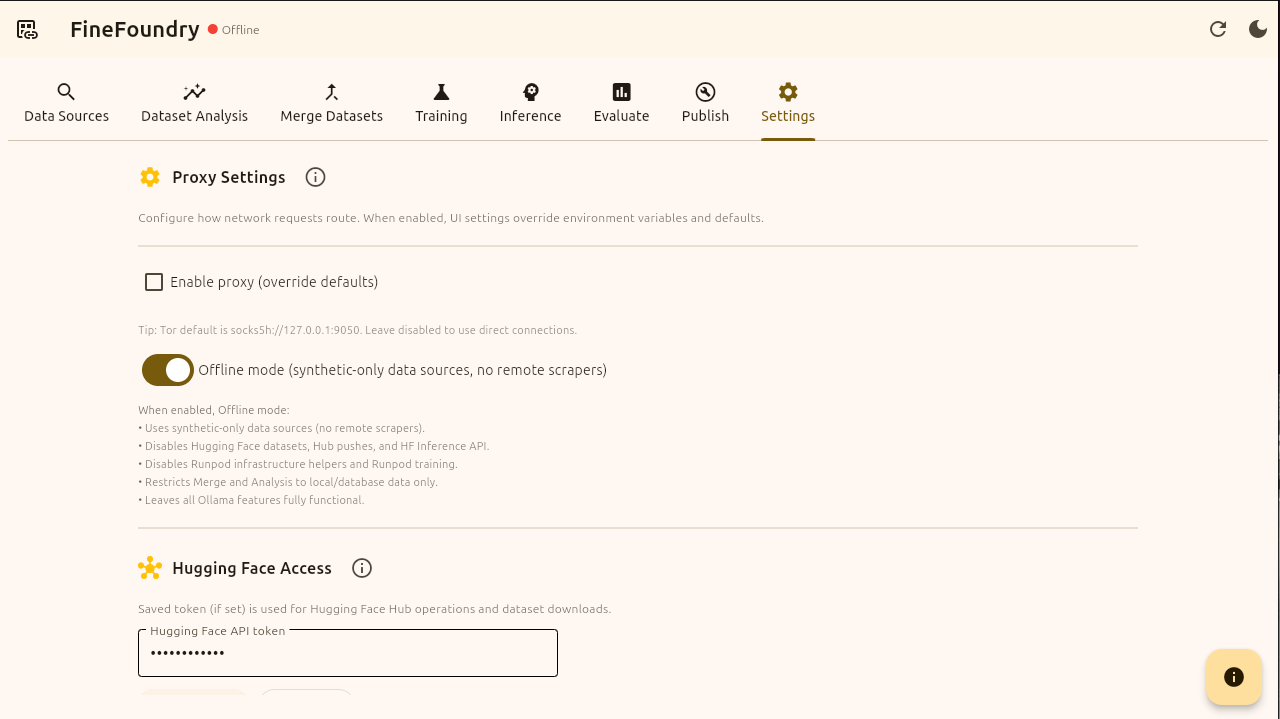
FineFoundry settings tab
Building a Dataset
Now that we are in online mode we can continue to the “Data Sources” tab to create our dataset. Because we are online we have all of the Data Sources options to choose from.
4chan data source to create uncensored datasets from 4chan.
Reddit scraper to create datasets from communities.
StackEchange for creating intelegent knowlegable datasets.
Synthetic for creating datasets artificially using your own files such as PDF’s and the meta-llama/synthetic-data-kit built into FineFoundry.
We are going to be going with Reddit in this tutorial.
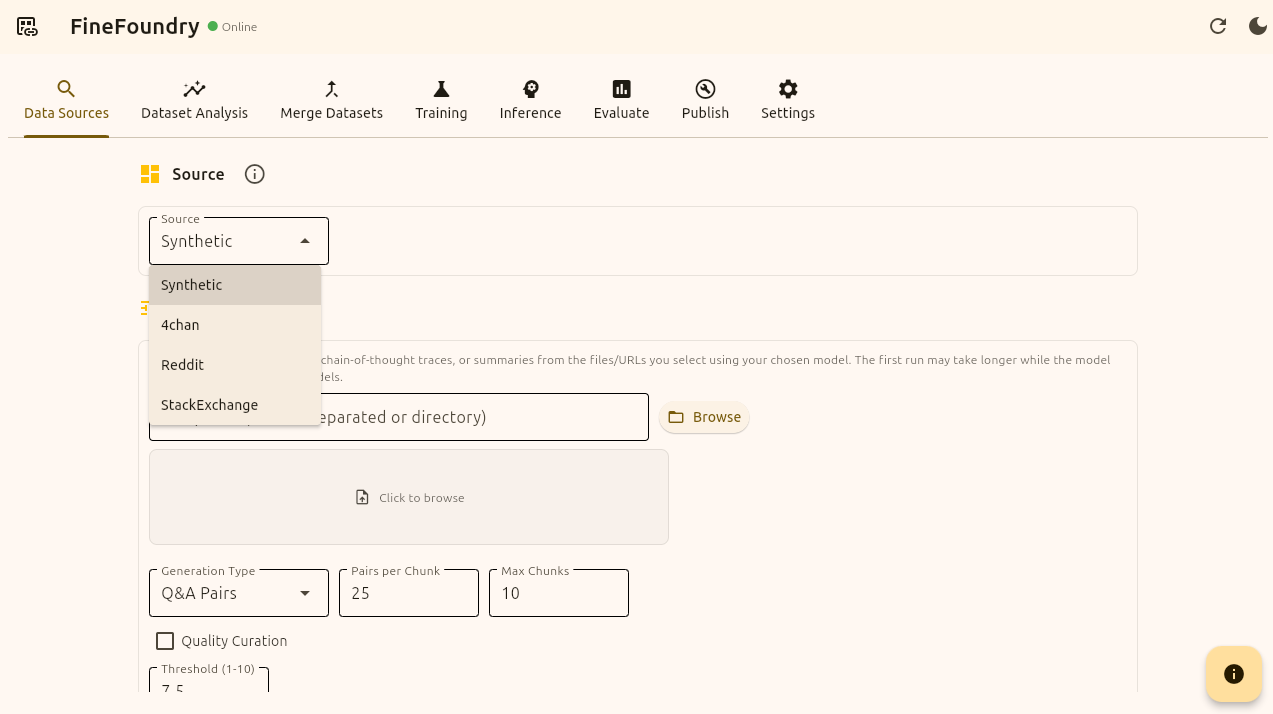
FineFoundry Data Sources tab
Select Reddit as the data source we are using. This is pretty straight forward the first thing you want to do is provide a Reddit URL, the max amount of posts you want, the name of this new dataset you are creating (optional), the dataset format (we will go with ChatML), the scrape delay to avoid blocking, and the minimum length of any post or comment.
FineFoundry uses defaults for these values so you don’t have to update or change anything if you don’t want to. The default subreddit is r/LocalLLaMA.
Now we will press the start button and FineFoundry will now search Reddit for viable data points with your requirements and then format them into real trainable datasets for large language models!
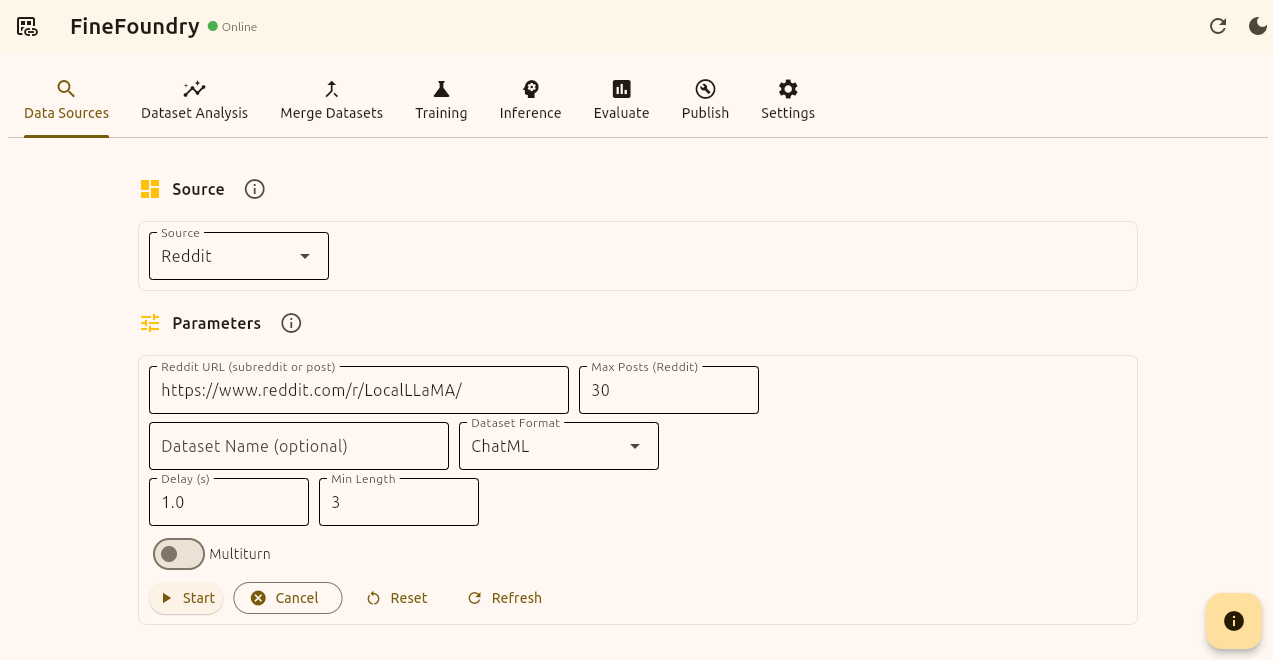
FineFoundry Data Sources Tab, Reddit Source
We will know its working because we will see a progress bar and a live log section to view our progress. We will also get a notification when our dataset is done.
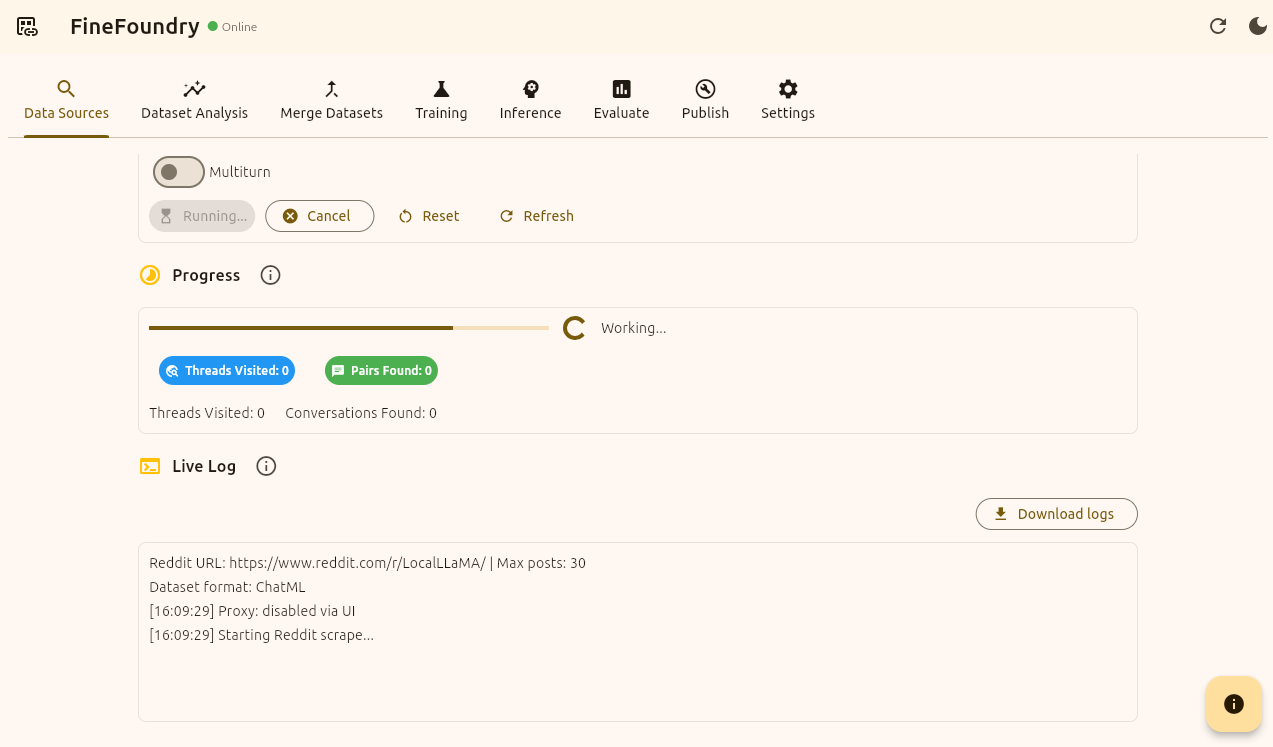
FineFoundry Data Sources tab, scraping
Once our dataset is finished a preview section should appear at the bottom showing a short preview of your dataset. From Here you can either click “Raw Preview“ to get a raw JSON view of the dataset or click “Preview Dataset“ to get a more pretty structured view like the initial short preview here.
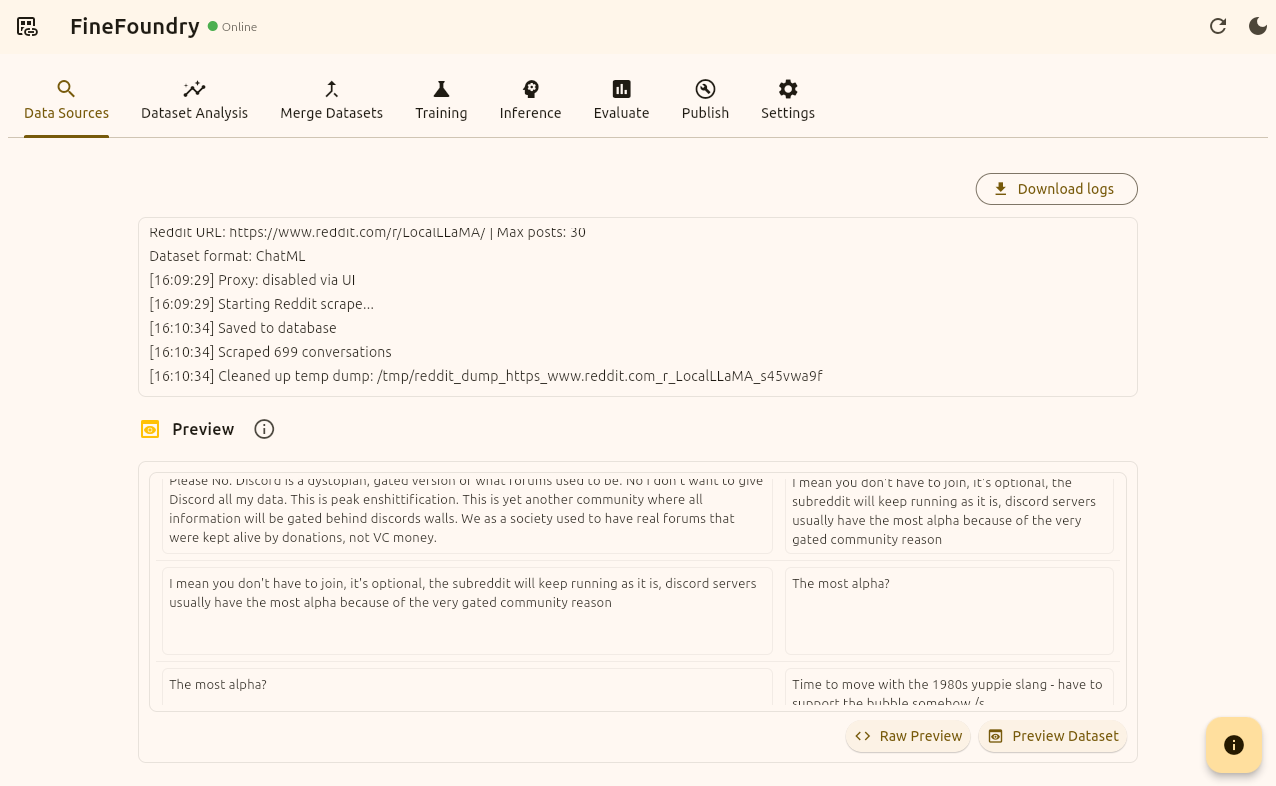
FineFoundry Data Sources tab, Preview section
Analyzing Datasets
Now at this point we have successfully created our dataset and we know it worked because we have looked through the preview. Now we can publish but first lets look at a couple other things we can do.
First Now that we have our dataset we can go over to the “Dataset Analysis“ tab. To get some insights on our dataset.
For this tutorial I named our dataset “reddit_tutorial“. Datasets are saved to the database for ease of access. You can analyze any of your saved datasets at any time by simply switching the scrape session. Here we are going with the default and clicking “Analyze dataset“.

Data Analysis tab
Here we get a breakdown of our dataset with our selected Analysis modules. This portion of the project is still in development so you may or may not experience some issues here.
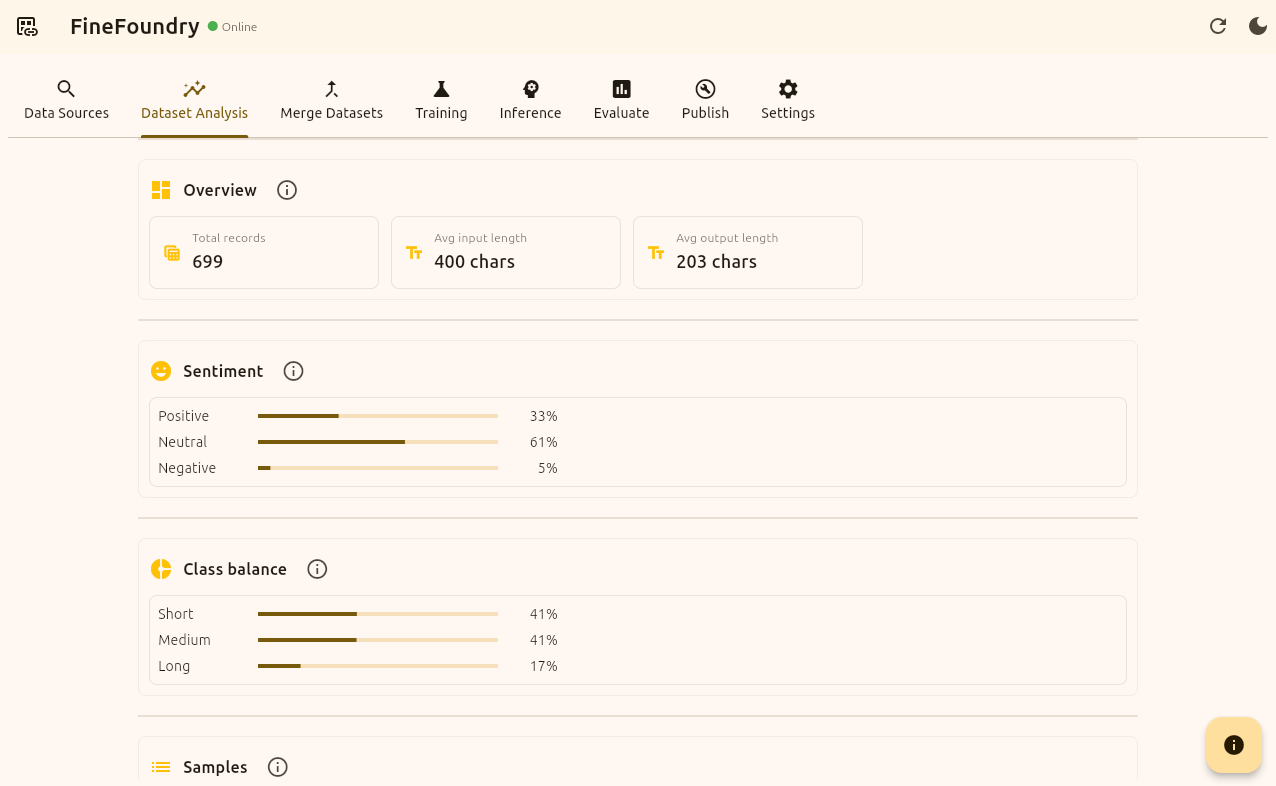
Data Analysis tab, results
Merging Datasets
Now we can head over to the “Merge Datasets“ tab. Here we can mix and match different datasets to form one single unified dataset. We can use our own datasets from our local FineFoundry database or we can mix and match datasets directly from HuggingFace.
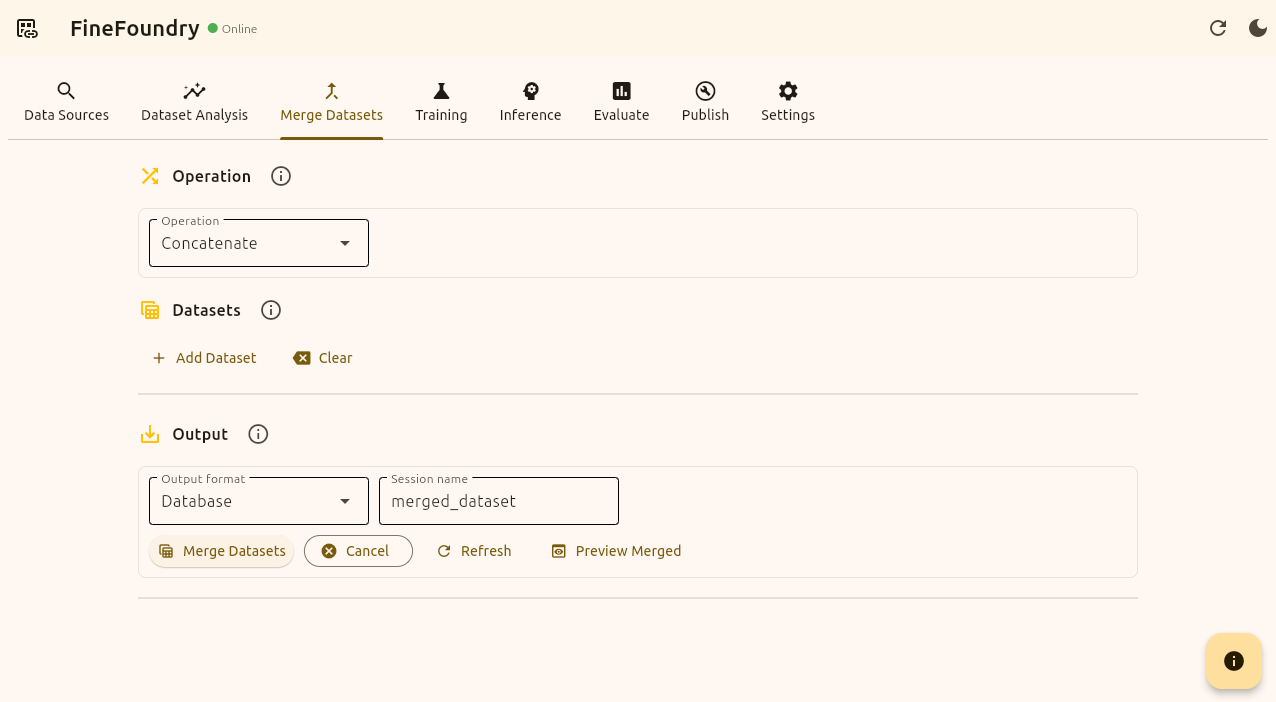
Merge Datasets tab
Here is an example of merging our “reddit_tutorial“ dataset from our local FineFoundry database with a dataset from HuggingFace.
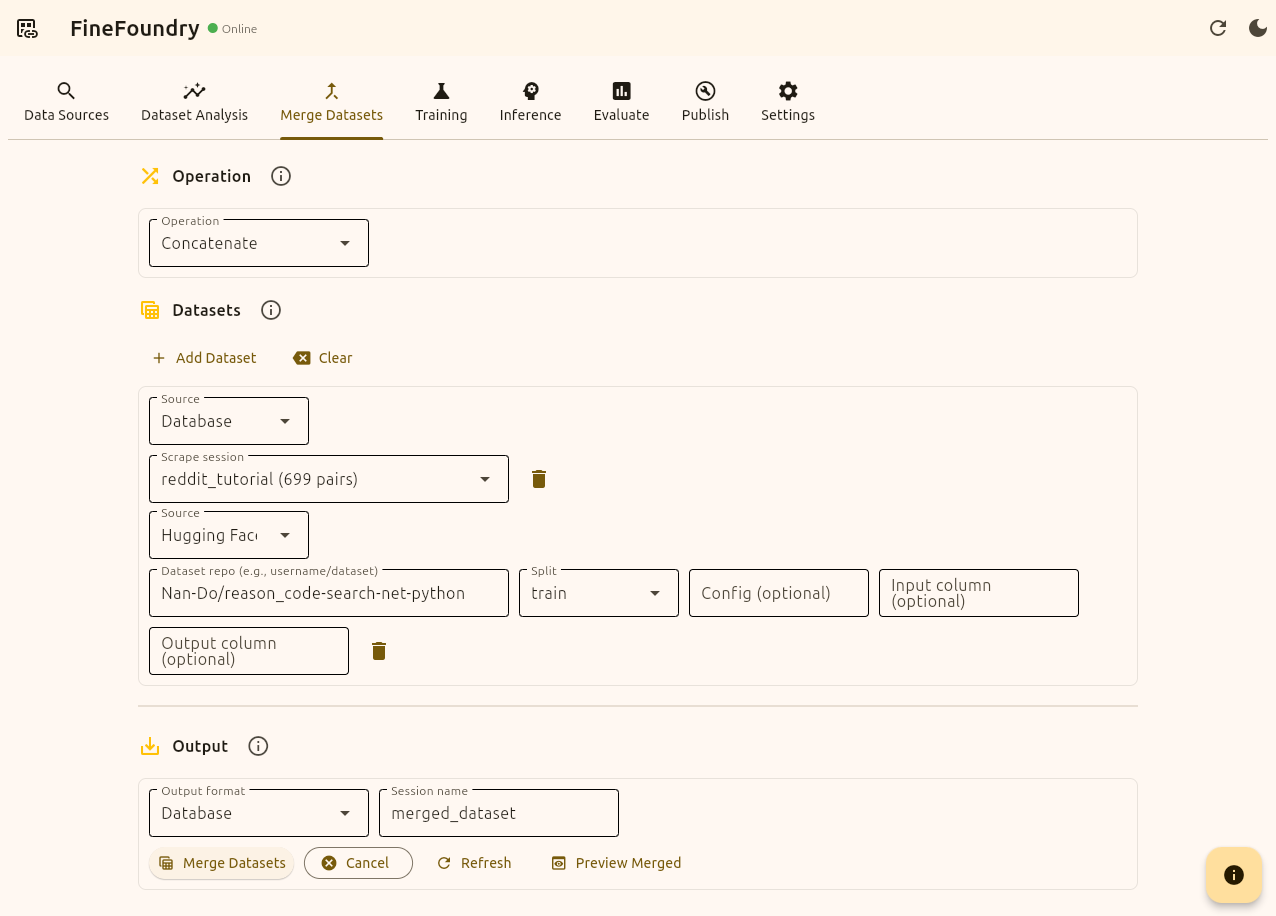
Merge Datasets tab, merging two datasets
here the HuggingFace dataset we are merging with our custom Reddit dataset is
"Nan-Do/reason_code-search-net-python“ this is a random choice for the sake of the tutorial you can use any standard input/output dataset HuggingFace has to offer. We will now press the button “Merge Datasets“ and FineFoundry will combine both of these into one single dataset.
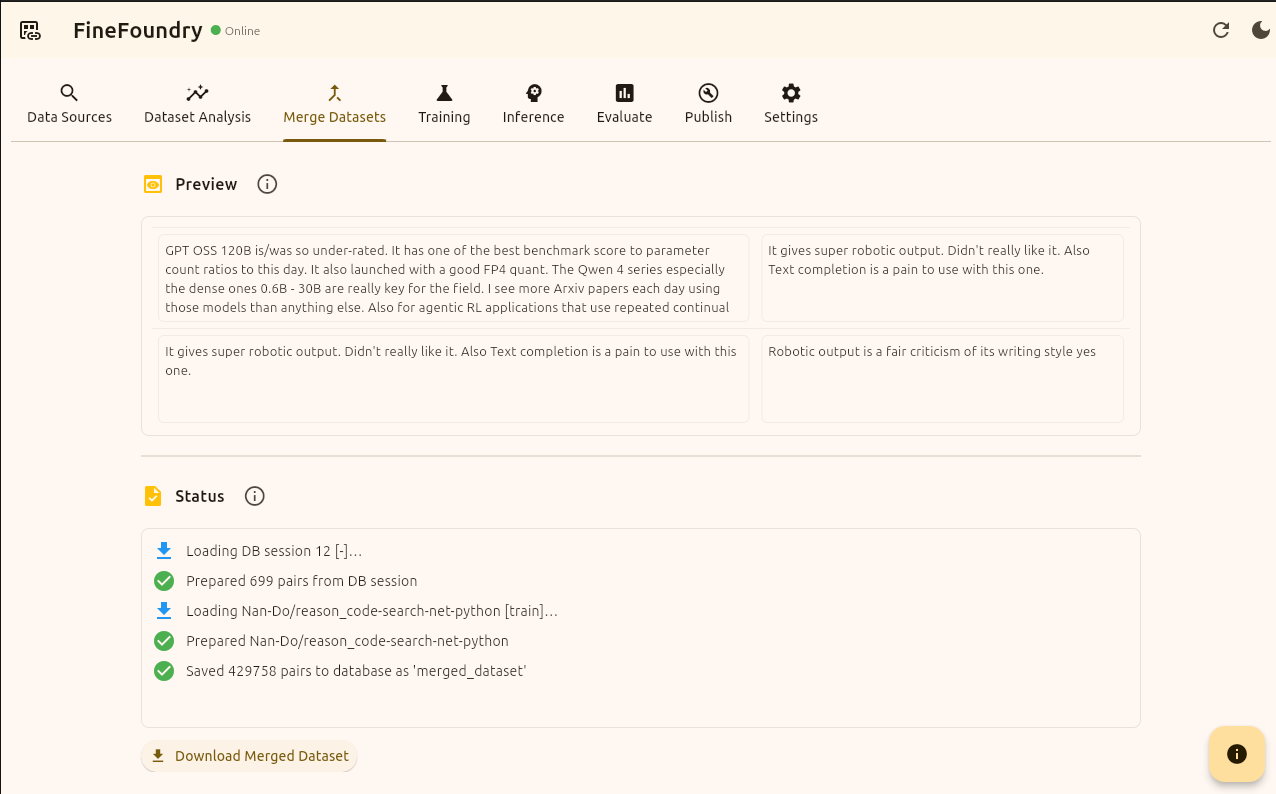
Merge Datasets tab, results
Publishing Datasets
Now as you can see we have officially merged our Reddit dataset with a HuggingFace dataset successfully. You can mix and match countless datasets!
We can now finish this tutorial by publishing our dataset directly to HuggingFace as promised. By saving to HuggingFace you can back up your datasets and use them anywhere. But first you need to get a HuggingFace API key if you do not have one already.
To create a new API key go to https://huggingface.co/settings/tokens and click on “+ Create new token“ in the top right corner. Make sure to use the “Write“ token type Not the “Read“ token type. If you want you can make a Fine-grained token for more granular control over your key but we are going with “Write“ in this tutorial.
Name your token and press “Create token“
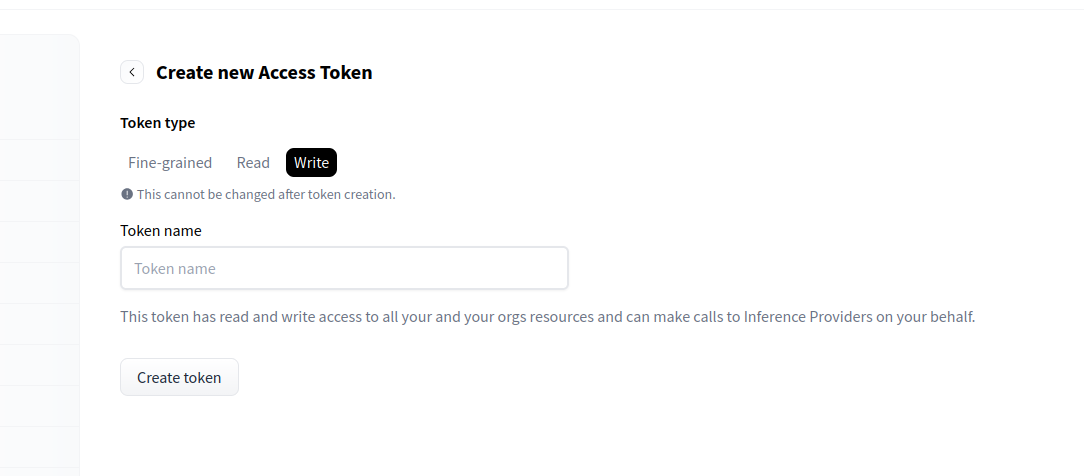
HuggingFace website token creation
Now that we have our token we need to head over to the FineFoundry settings tab and input our key in the “Hugging Face Access“ section. You can press the “Test token“ button to test if your token is valid or not.
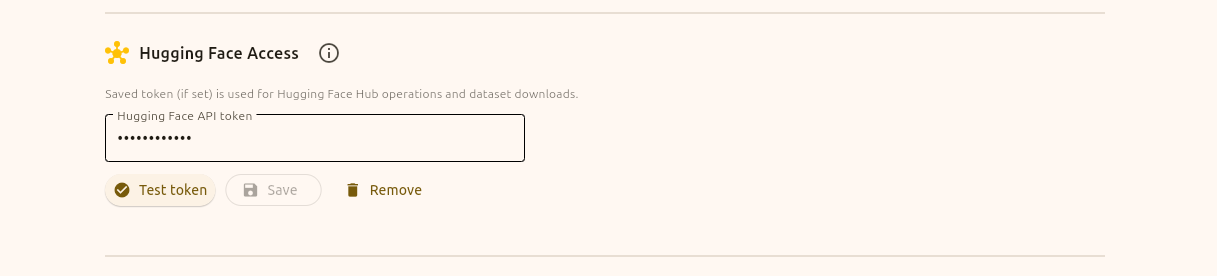
FineFoundry Settings tab, HuggingFace Access section
Now that we have our token we can finally publish our dataset using the FineFoundry “Publish“ tab. If you followed along with the merge part of the tutorial you can use the merged dataset or just select our original Reddit dataset we created in the “Data Sources“ tab.
We are going to keep the default setup using seed “42“, shuffle enabled, and the “Min Length“ being 1 with the “Save dir“ being “hf_dataset“. We are also going to keep the splits the same.
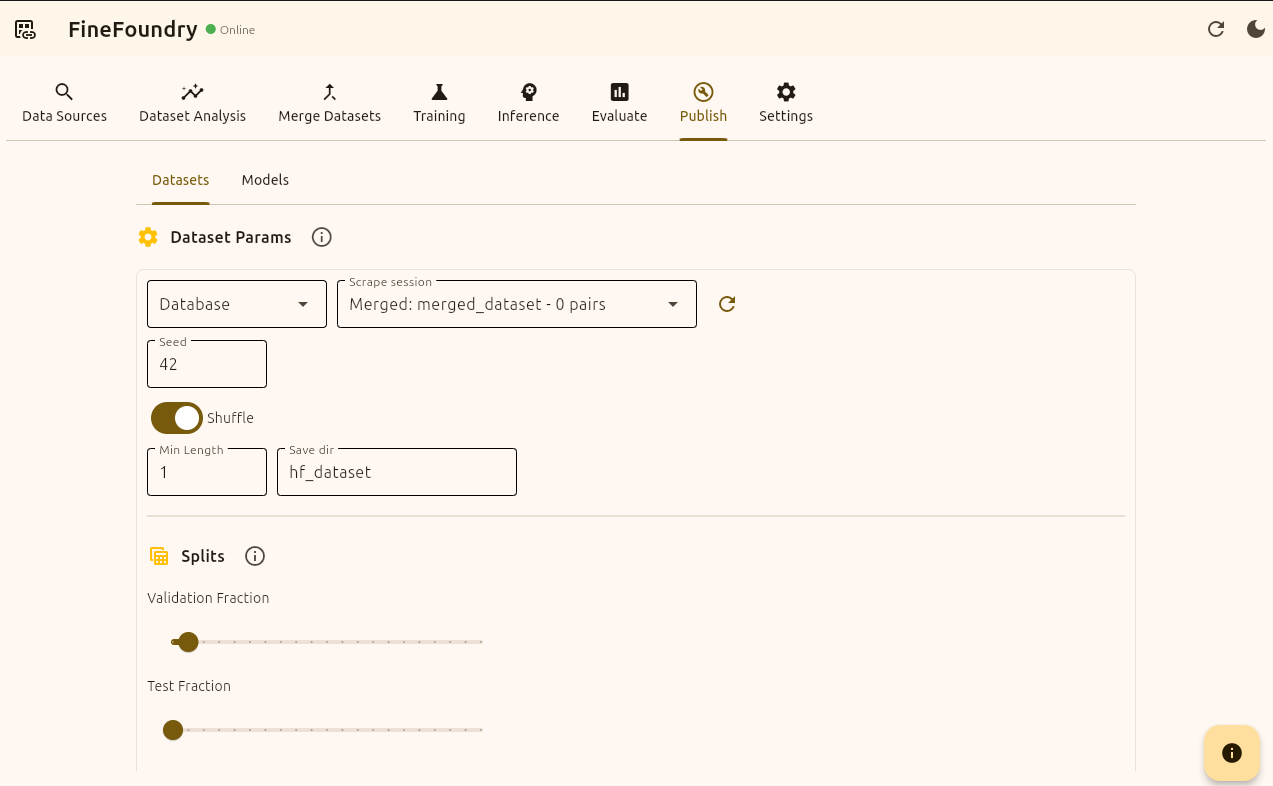
FineFoundry Publish tab
Before we push our dataset to HuggingFace we dont have to but we should make a dataset model card. This is like a “README.md“ but for LLM’s and datasets on HuggingFace. You can think of HuggingFace as like “GitHub for LLM’s“.
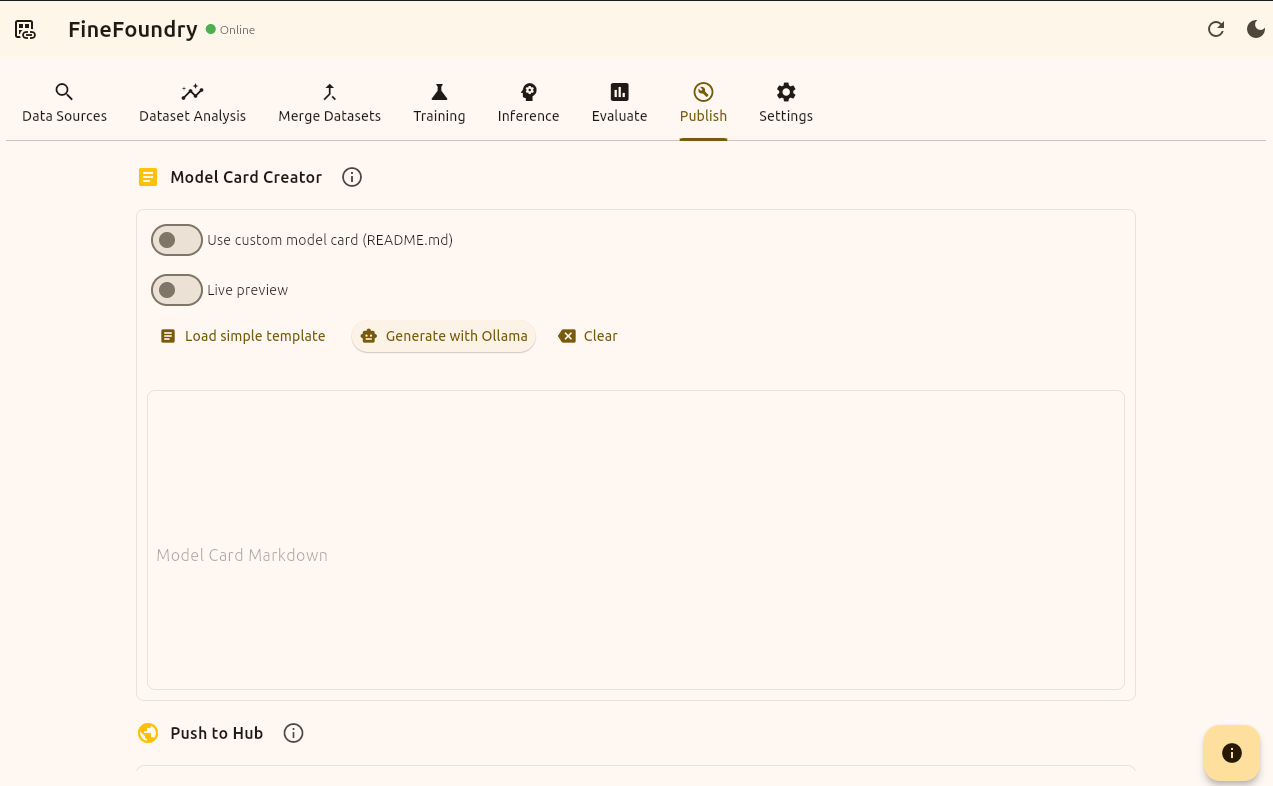
FineFoundry Publish tab, model card section
Now we have a few options here for creating our dataset card. If you have Ollama set up and installed on your system and configured in the FineFoundry settings tab you can simply click the “Generate with Ollama“ button and it will examine random points in your dataset and automatically generate a model card based on your datasets.
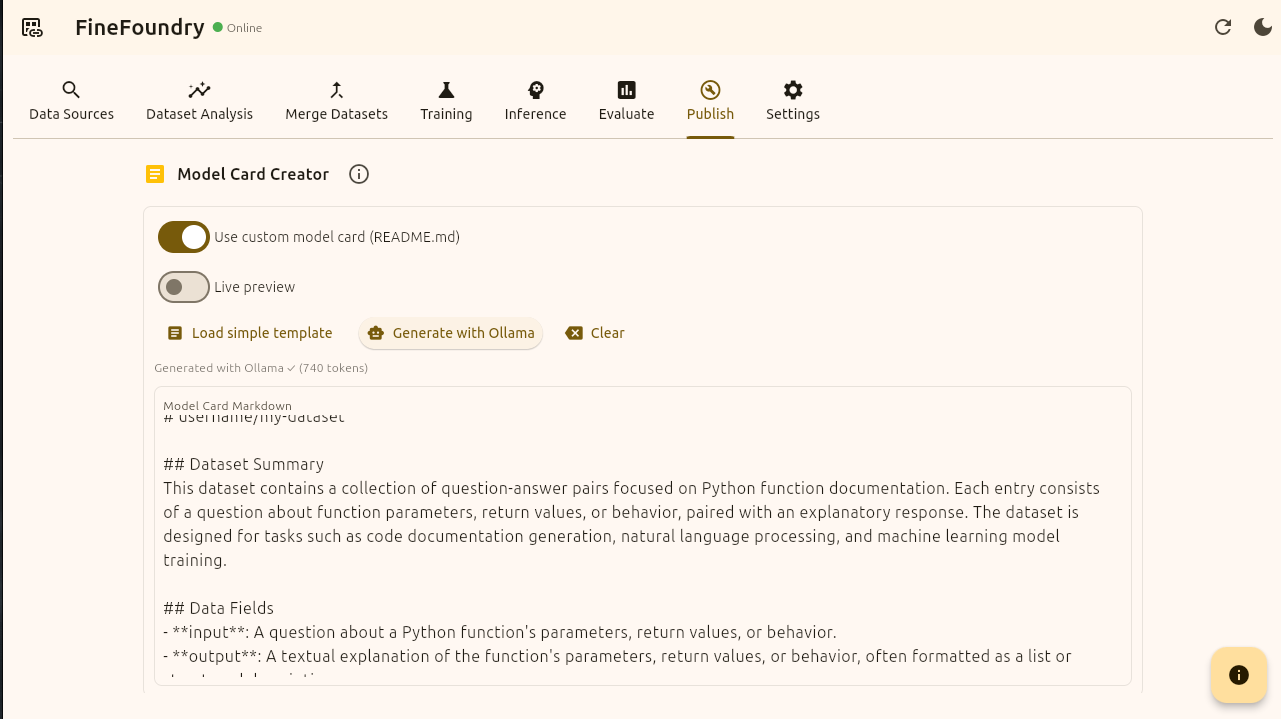
FineFoundry Publish tab, ollama generation
We do not need Ollama at all it is just an added feature to make creating dataset cards easier. You can toggle on the “Use custom model card“ toggle to create your own card from scratch or you can click the “Load simple template“ button to get you started.
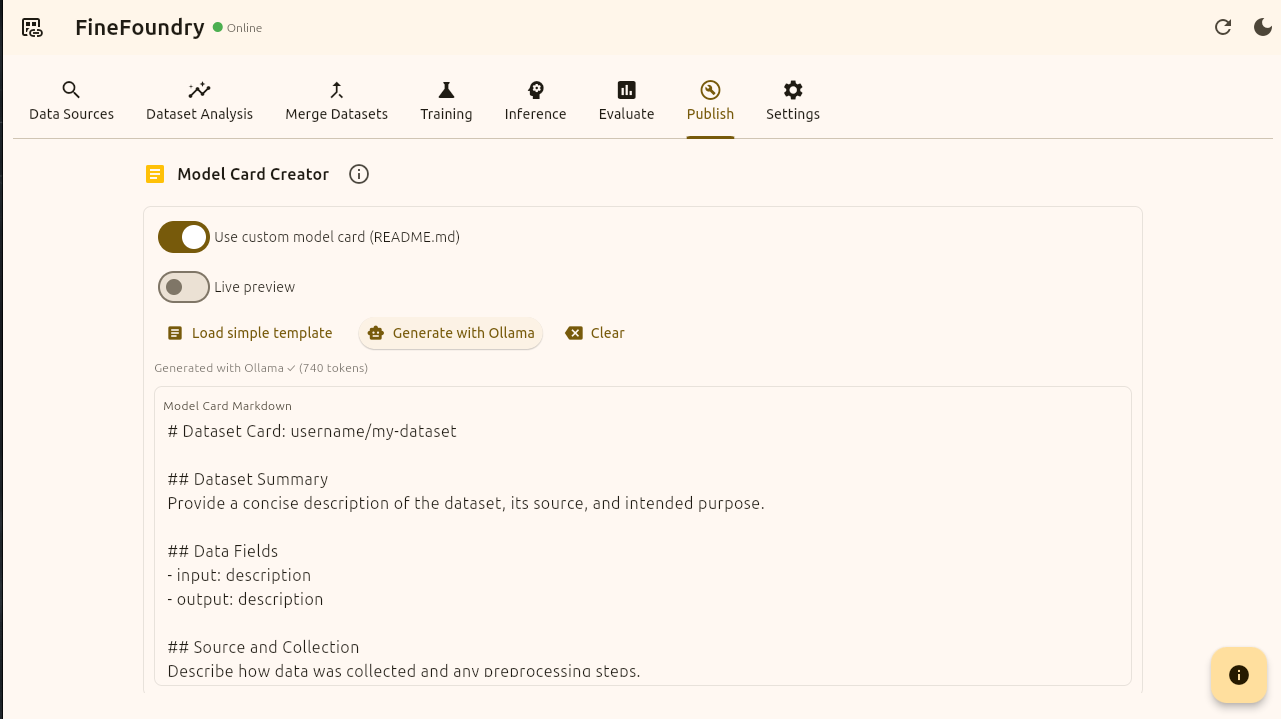
FineFoundry Publish tab, Load simple template
Now we have everything we need. Time to publish! We need to enable “Push to Hub“ and you can choose to make this dataset public or private.
if you have not already go to HuggingFace click on your profile and select “+ New Dataset“ and then name and create the dataset. This is your “Repo ID“.
Now enter your “account/dataset” name in the slash format and press the button “Build Dataset“.
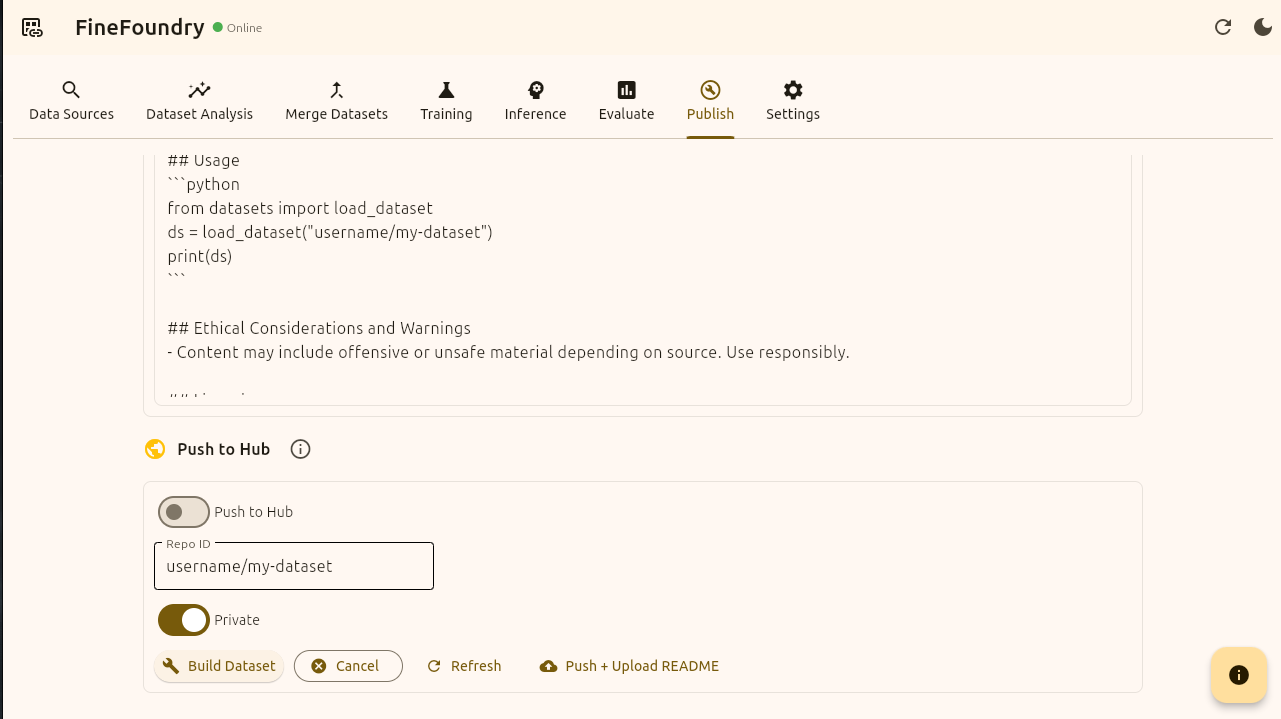
FineFoundry Publish tab, push to hub section
Once you press “Build Dataset“ you will then see status logs appear at the bottom. This will help indicate success and debug if something goes wrong.
This example using “username/my-dataset“ will inevitably fail and give an error because “username/my-dataset“ is not a real valid HuggingFace repository we own and can push to. If you come across any errors make sure the Repo ID matches exactly.
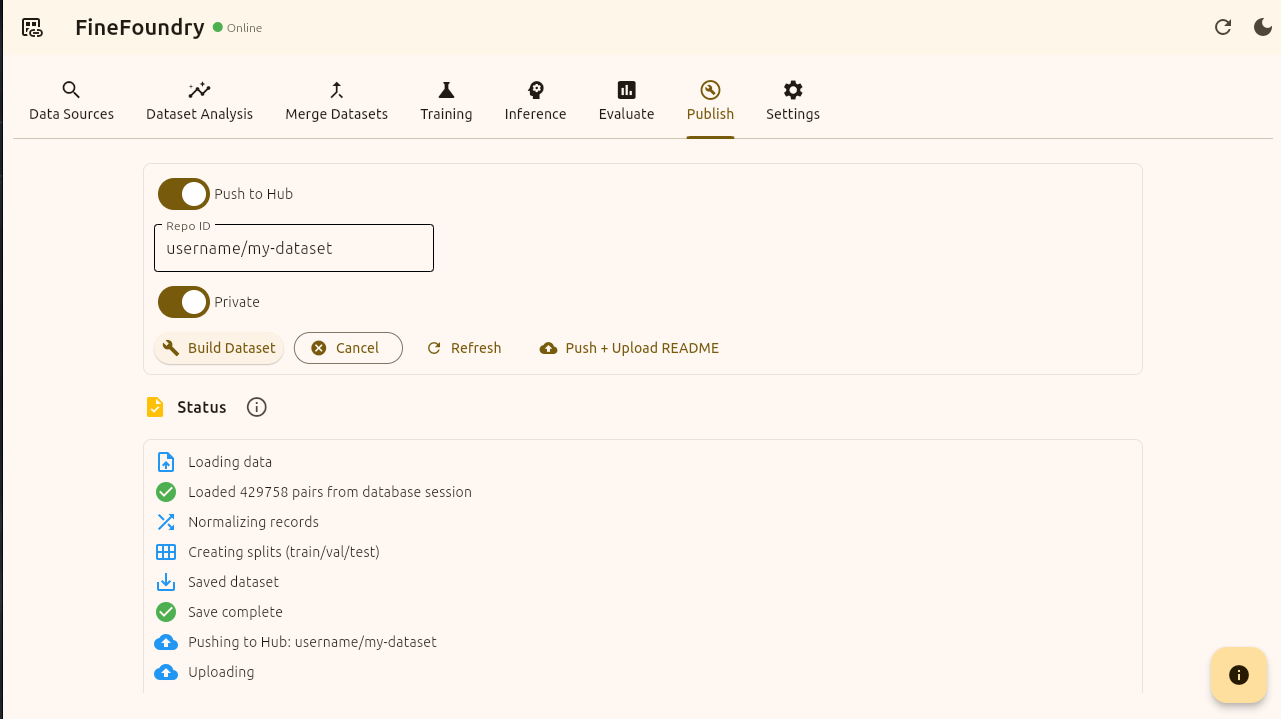
FineFoundry Publish tab, publish status
Now to verify that our FineFoundry dataset has been successfully published to HuggingFace we can simply go back to our HuggingFace repo and check!
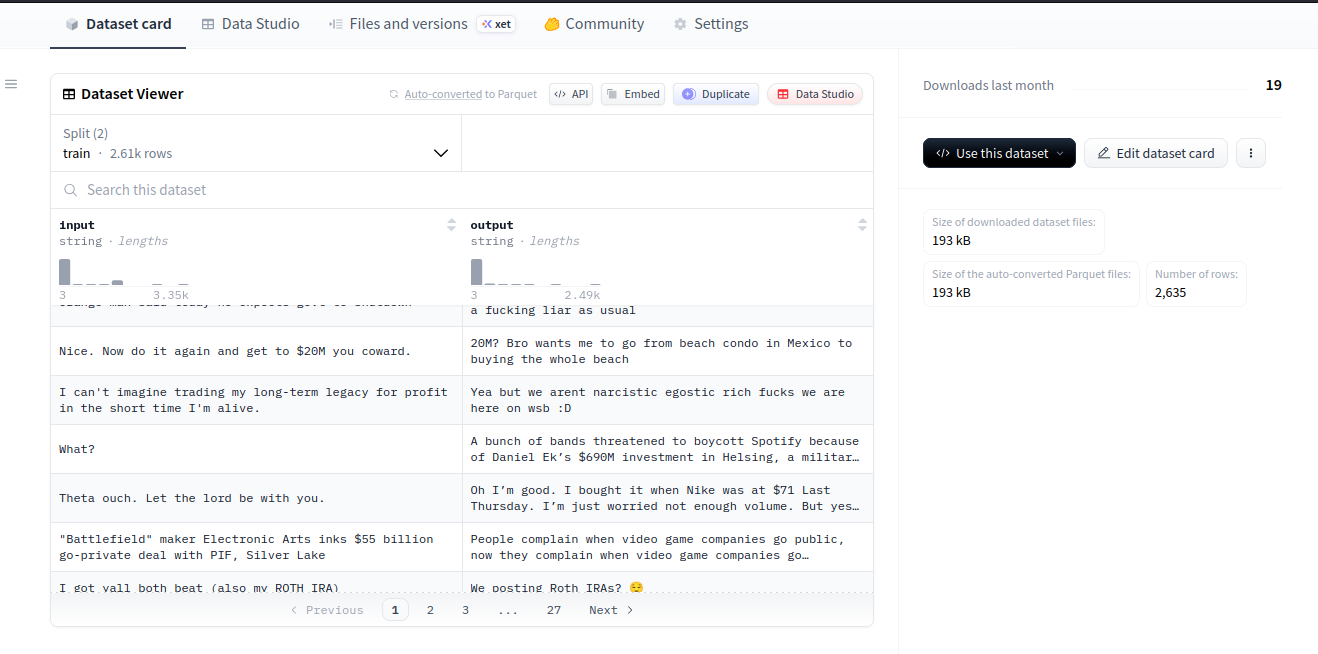
HuggingFace website repo
That’s it! We have successfully created, analyzed, merged, and published a dataset to HuggingFace with FineFoundry.
You've now mastered the complete FineFoundry dataset workflow from initial data collection through to HuggingFace publication. The ability to scrape multiple sources, analyze data quality, merge datasets from different origins, and automatically generate professional documentation makes FineFoundry a powerful tool for anyone working with LLM training data.
Your published dataset is now accessible on HuggingFace, ready to be used in fine-tuning projects by you or others in the community. From here, you can continue building more specialized datasets by combining different data sources, or move on to the fine-tuning process itself using the datasets you've created.
For more FineFoundry tutorials including offline fine-tuning workflows, check out our other guides on the SourceBox.ai blog.
