Browse Your Folders Like You're On the Web!
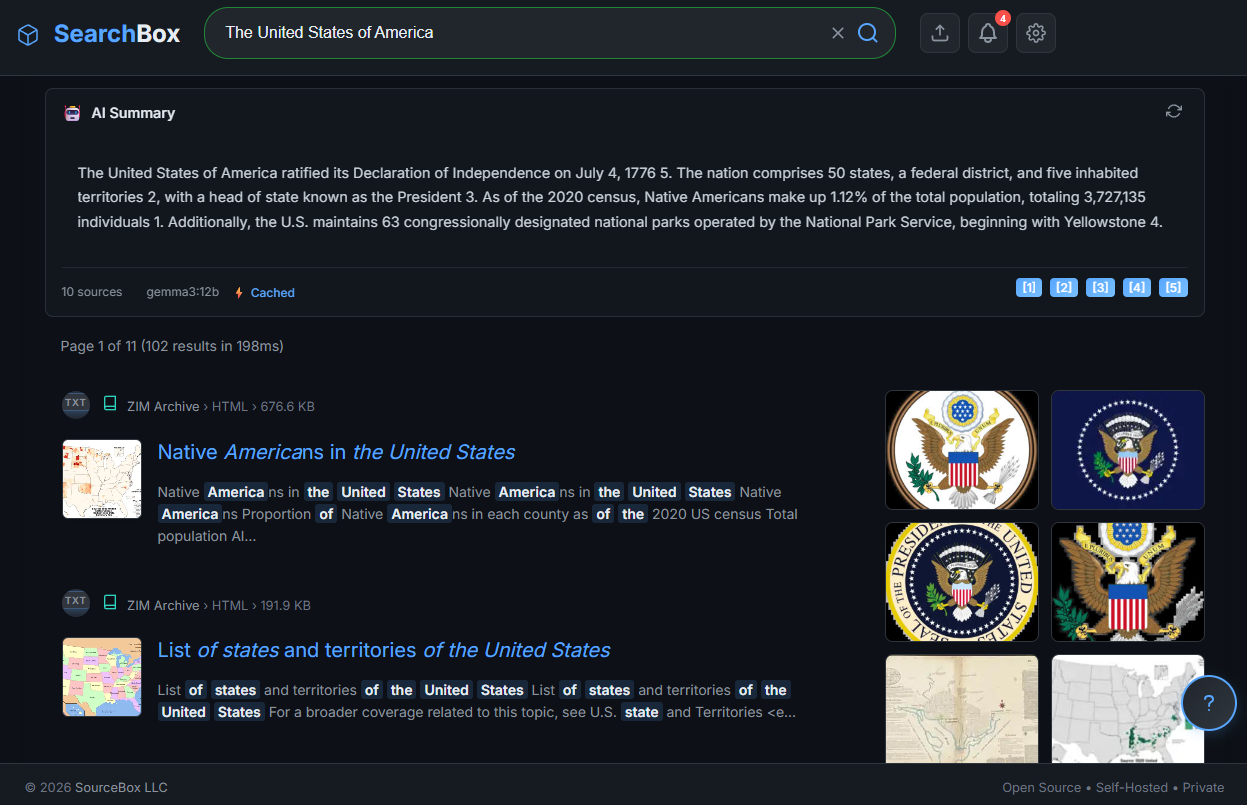
SearchBox Search Example
By S’Bussiso Dube/SourceBox Team
We’ve all been there. You know the file exists. You remember it’s somewhere in a folder called Project_Final_v2_REVISED, but finding it feels like a digital archaeological dig. You spend ten minutes clicking through nested directories, searching for a filename you can't quite remember, only to realize you named the file notes_temp_1.txt.
The way we interact with our local files is prehistoric. It’s time for an upgrade.
The Problem: The "Folder Maze"
For decades, we’ve been forced to organize our lives into a rigid hierarchy of folders and subfolders. It's a system designed for 1980s disk drives, not for the 2026 AI era. When your data grows, your "organization" becomes a bottleneck.
You don’t search for your emails with a folder tree. You don't search for your YouTube videos with a directory. So why are you still doing it with your local documents?
The Solution: SearchBox
SearchBox changes the game. It doesn't just "search for filenames"—it turns your entire local file system into a searchable, navigable web experience.
Imagine opening a browser and typing in a search bar: "That PDF about the 3D printer settings from last July" or "The contract for the new client."
Instead of a list of confusing file paths, SearchBox gives you a Google-like interface for your own data.
How the Magic Works (The "Secret Sauce")
SearchBox isn't just a faster version of Windows Search. It leverages Local AI to understand the context of your files:
Local Indexing: SearchBox scans your directories and creates a high-performance index of your content.
Powered by Ollama: By integrating with Ollama, SearchBox doesn't just look for keywords; it understands meaning. It uses embeddings to find files that are conceptually related to your query, even if the exact word isn't in the filename.
Web-Style Navigation: It presents your results in a clean, fast, browser-based UI. You can browse, filter, and find your files with the same speed and intuition you use to browse the internet.
The Best Part? It Never Leaves Your Room.
Usually, "Google-like" search requires you to upload your files to a cloud provider—essentially handing over your private documents to a giant corporation in exchange for a search bar.
SearchBox says no to that.
Because it's built on the SourceBox "Local-First" philosophy, the indexing, the AI processing, and the search interface all happen on your hardware.
Zero Uploads: Your files never leave your disk.
Zero Telemetry: No one is tracking what you're searching for.
Zero Latency: You aren't waiting for a server in another time zone; you're querying your own RAM.
Stop Hunting. Start Finding.
Your data is your most valuable asset. Why spend your life hunting through folders when you can simply ask your computer where things are?
It’s time to stop treating your hard drive like a filing cabinet and start treating it like a personal knowledge base.
Stop clicking. Start searching.
Stop renting your digital existence.
Buy a board, spin up a container, take your data back.
